Transpent
2026-05-22 · 12 min read
The paper khata, rebuilt for the phone behind the counter — a local-first Android ledger that tracks what customers owe the shop and what the shop owes suppliers, fully offline.
- Category
- Mobile
- Status
- In development
- Role
- Solo — brand, product & engineering
- Stack
- JavaAndroidMaterial Design 3Local JSON

Every small shop I have ever walked into in India runs on the same piece of technology: a notebook. A khata. Kept behind the counter, filled in by hand, holding every customer's running credit and every supplier's pending bill. It has worked for decades. It also has no backup, no search function, and no way to recover if it tears, fades, or simply goes missing.
That single observation became the whole premise for Transpent, an Android app I built to do exactly two things a shop owner actually needs: track what customers owe the shop, and track what the shop owes its suppliers. Nothing else. No inventory management, no invoicing suite, no dashboard full of metrics nobody at a small counter asked for. Just the ledger, rebuilt for the phone that is already sitting next to the register.
This is the story of how it came together, why I made the choices I made, and what is still left to build.
The problem with the notebook
Small shop owners run credit the same way they have for decades. A customer buys on credit, the owner writes the amount and the date in the khata. A supplier delivers stock, the owner notes what is owed against that bill. Every balance in the shop lives on paper.
The paper ledger works right up until it does not. Pages tear. Handwriting fades. A customer disputes a balance and there is no entry history to point to, just a memory of who said what. An owner who is busy, and every shop owner is always busy, miscopies a running total from one page to the next. And if the notebook itself gets lost, so does the entire record of who owes what to whom.
The obvious digital alternatives do not actually fit the job. Full accounting software, the Tally and Vyapar style tools, is built for people who already think in ledgers and journals. It is overkill for an owner who just wants two numbers on demand: what customers owe the shop, and what the shop owes its suppliers. A spreadsheet assumes a laptop most counters do not have sitting around. And any cloud first app assumes a reliable signal and a Google account the owner may not want to configure just to open the till in the morning.
Transpent starts from the khata itself, not from an accounting textbook. Same mental model: a customer side, a supplier side, running balances, dated entries. Just kept on the phone that is already behind the counter, with no account, no signal, and no learning curve required to open it for the first time.
What the app actually does
At its core, Transpent is a local first Android ledger built around one counter: a small shop, one owner, and two directions of money.
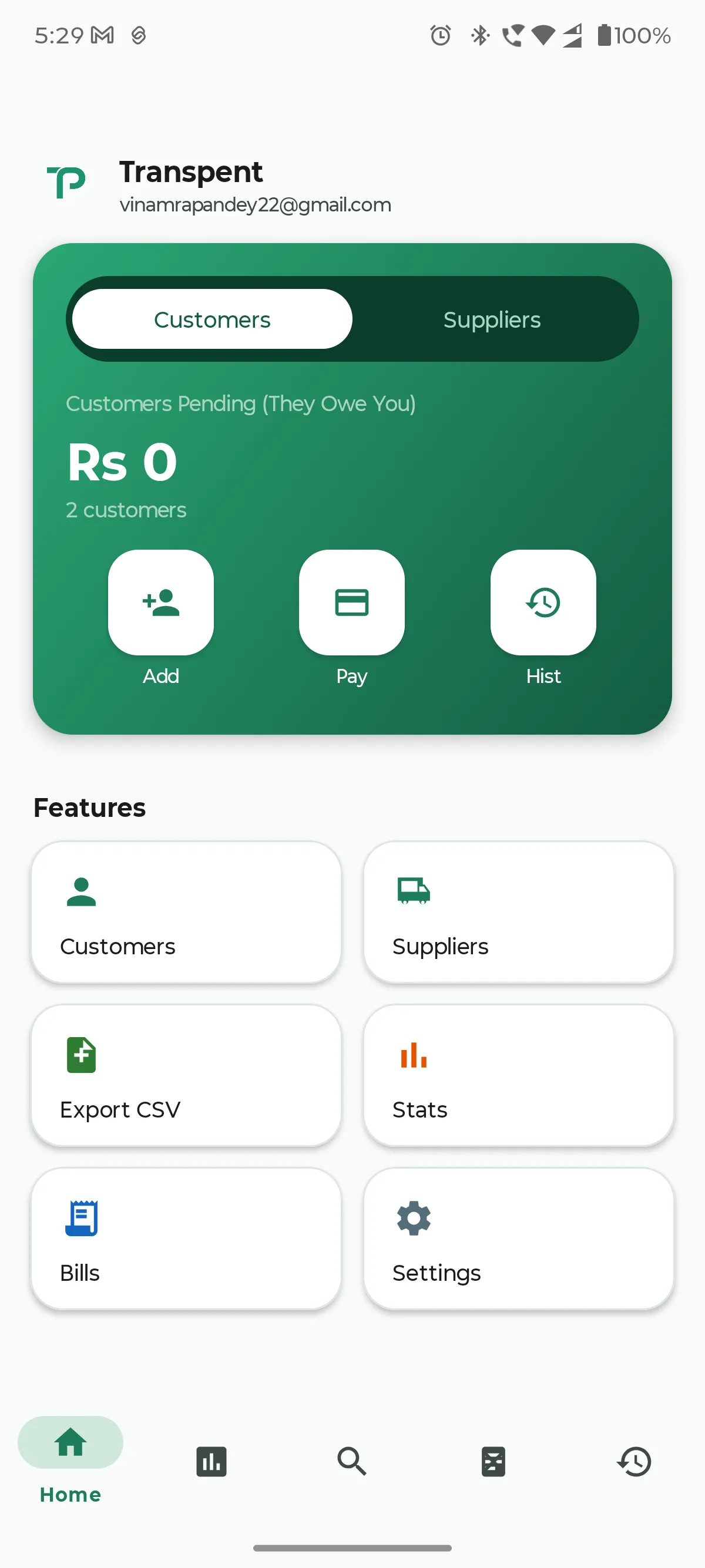
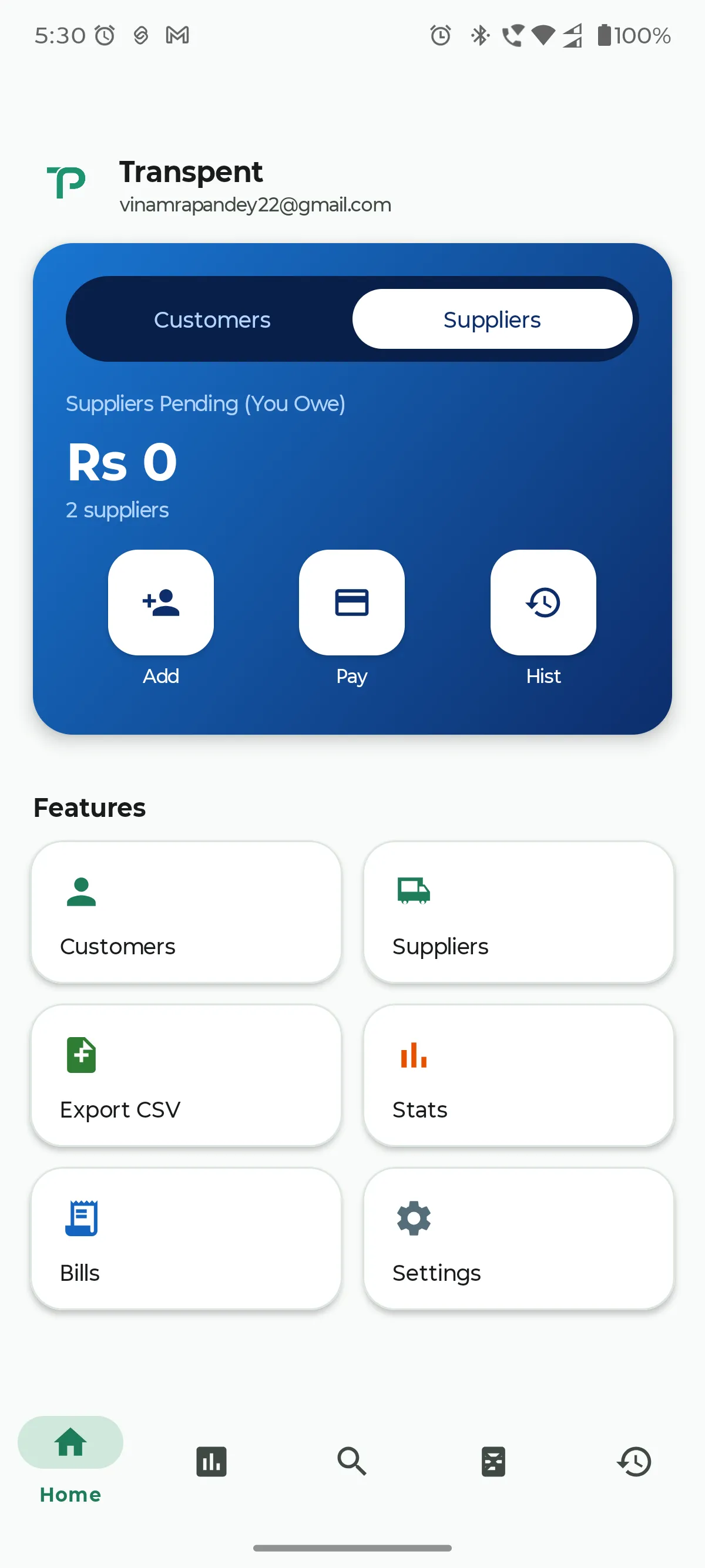
On the home dashboard, a pill switcher toggles between Customers, shown in emerald green, and Suppliers, shown in sapphire blue. Same screen, same set of actions, a different color so the direction of money is never ambiguous at a glance. Add, Pay, and History shortcuts sit directly on the balance card itself, so recording a sale or a payment never requires digging through a menu first.
Switch to Suppliers and the entire card shifts to sapphire blue, same layout, same actions, immediately legible as the other direction of money.
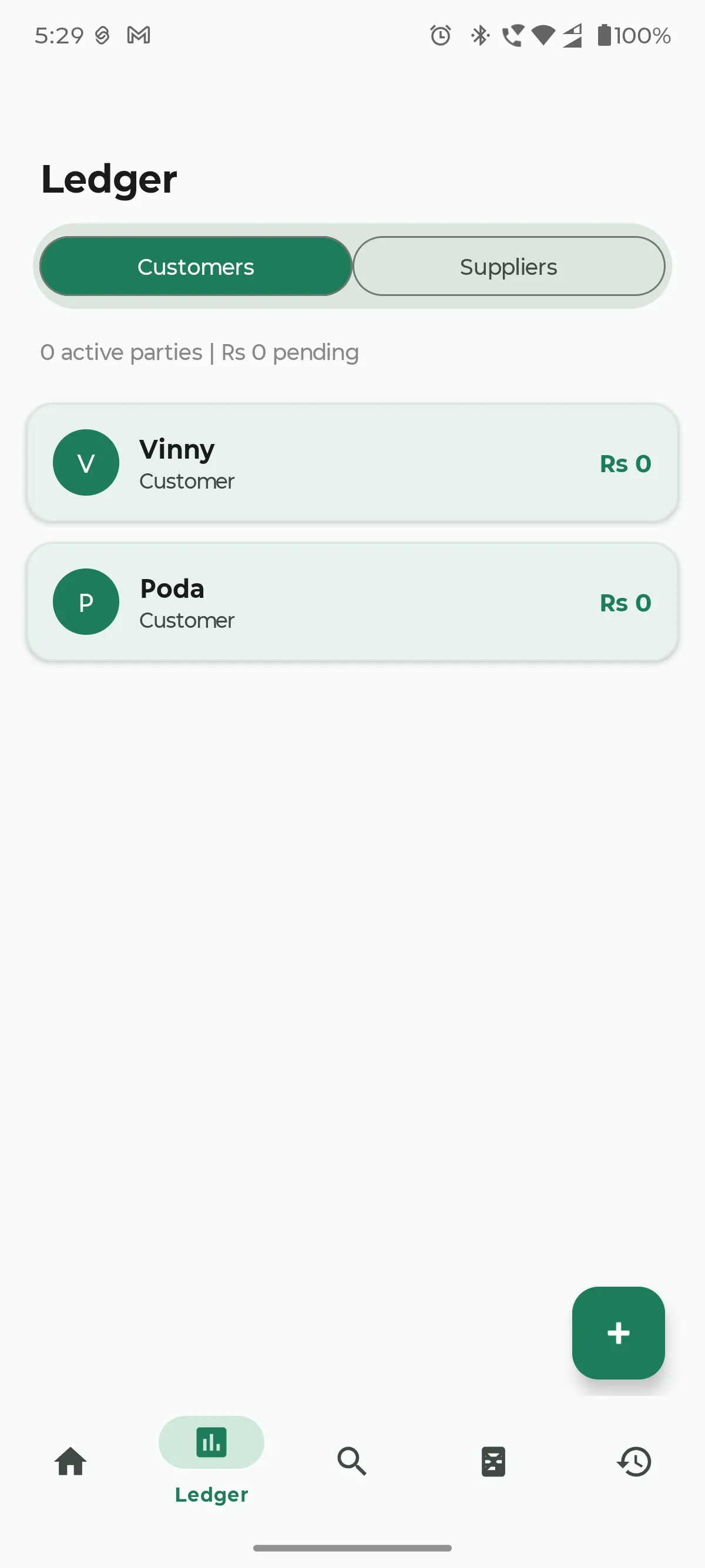
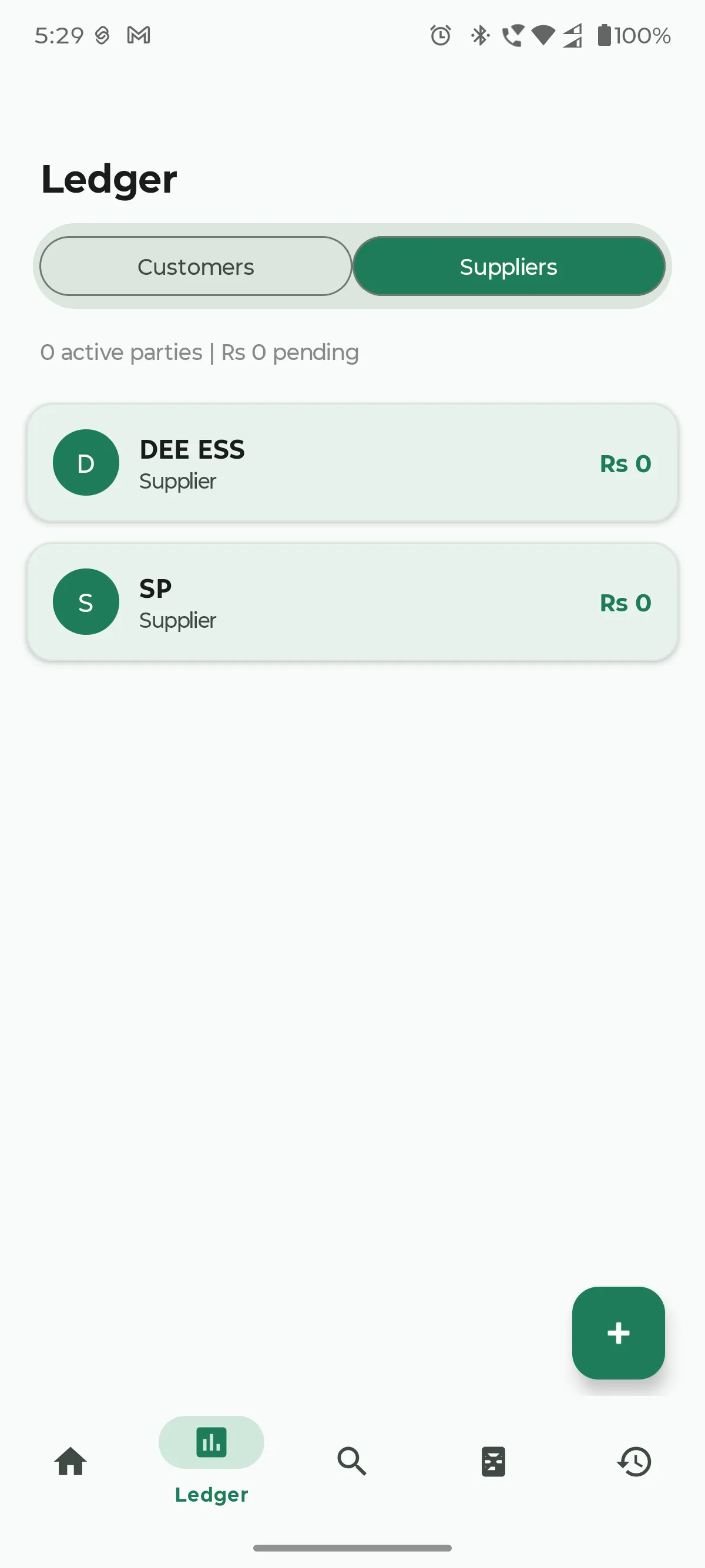
The Ledger tab lists every customer or supplier as a card. Tap one and you go straight into an item entry dialog, no intermediate screens.
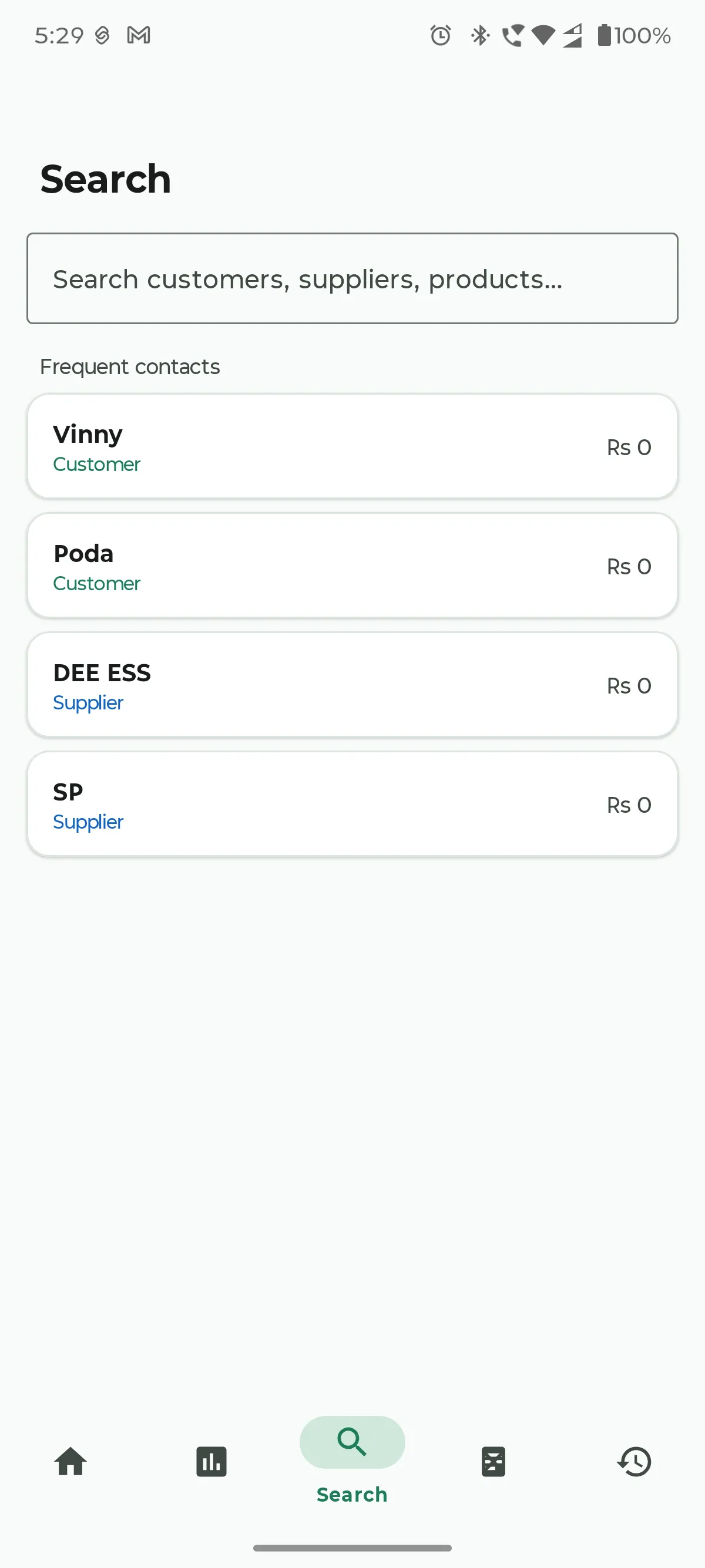
Search surfaces frequent contacts first, then matches customers, suppliers, and products as you type. For a shop owner who deals with the same twenty or thirty people every week, that ordering matters more than it sounds like it should.
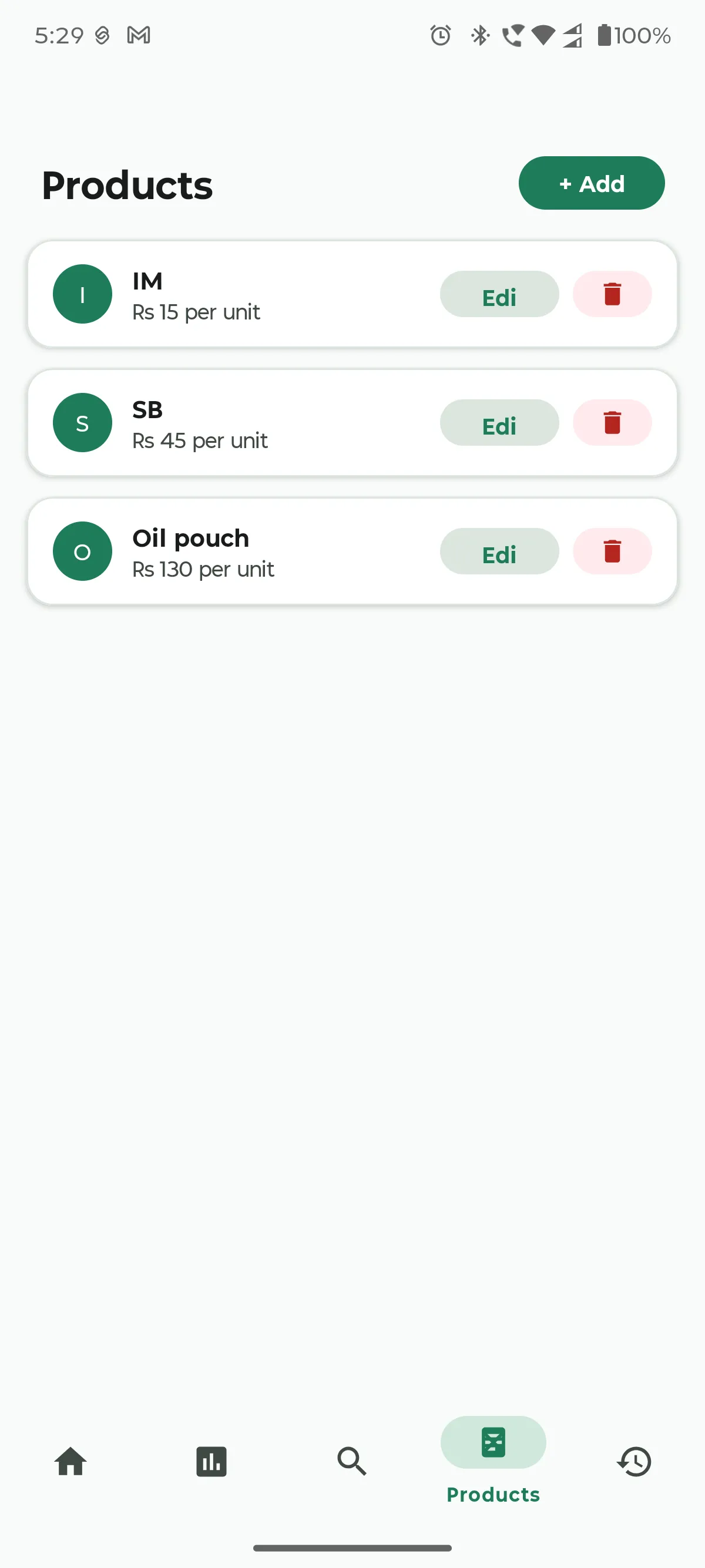
Products lets a repeat item, a bag of rice, a bottle of oil, get added to any customer's tab in two taps instead of retyping the name and price every single time.
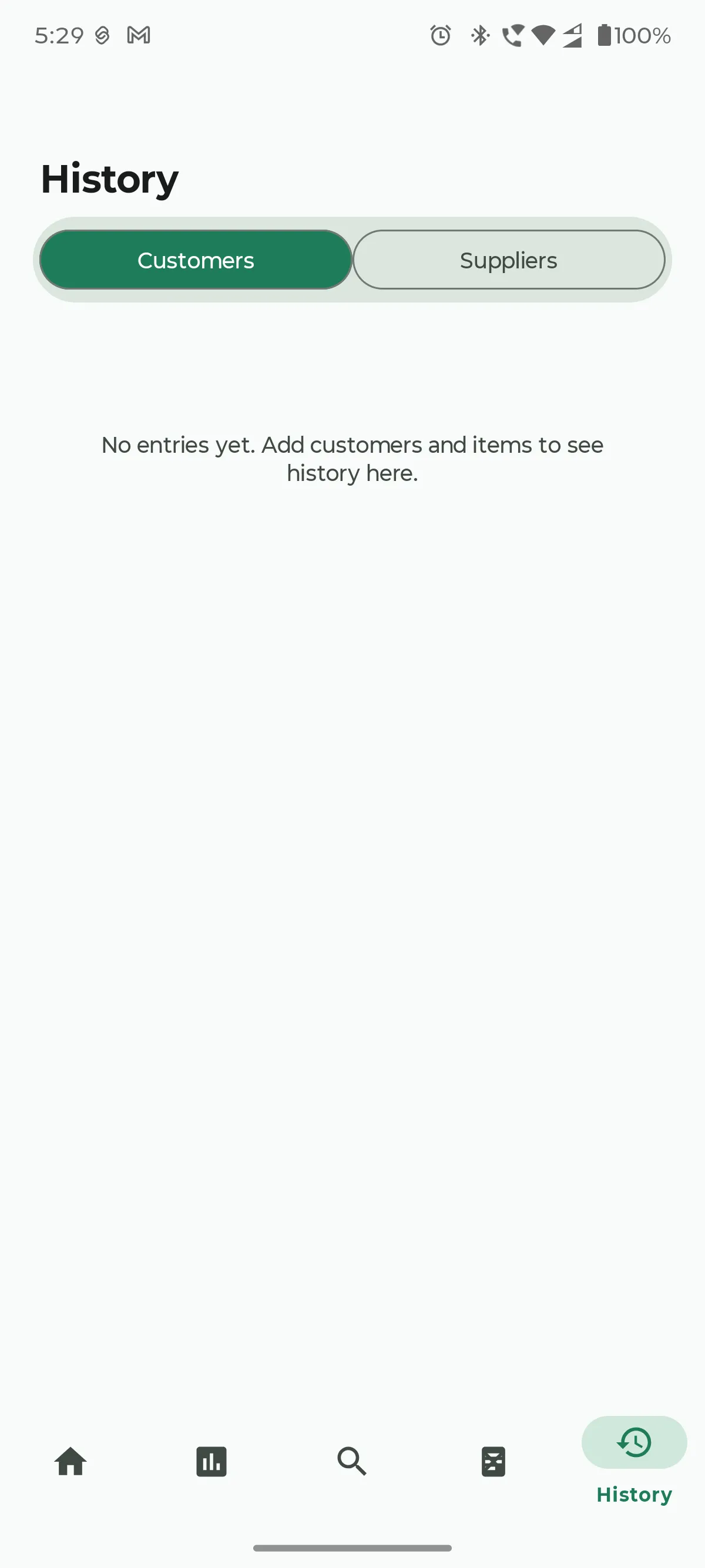
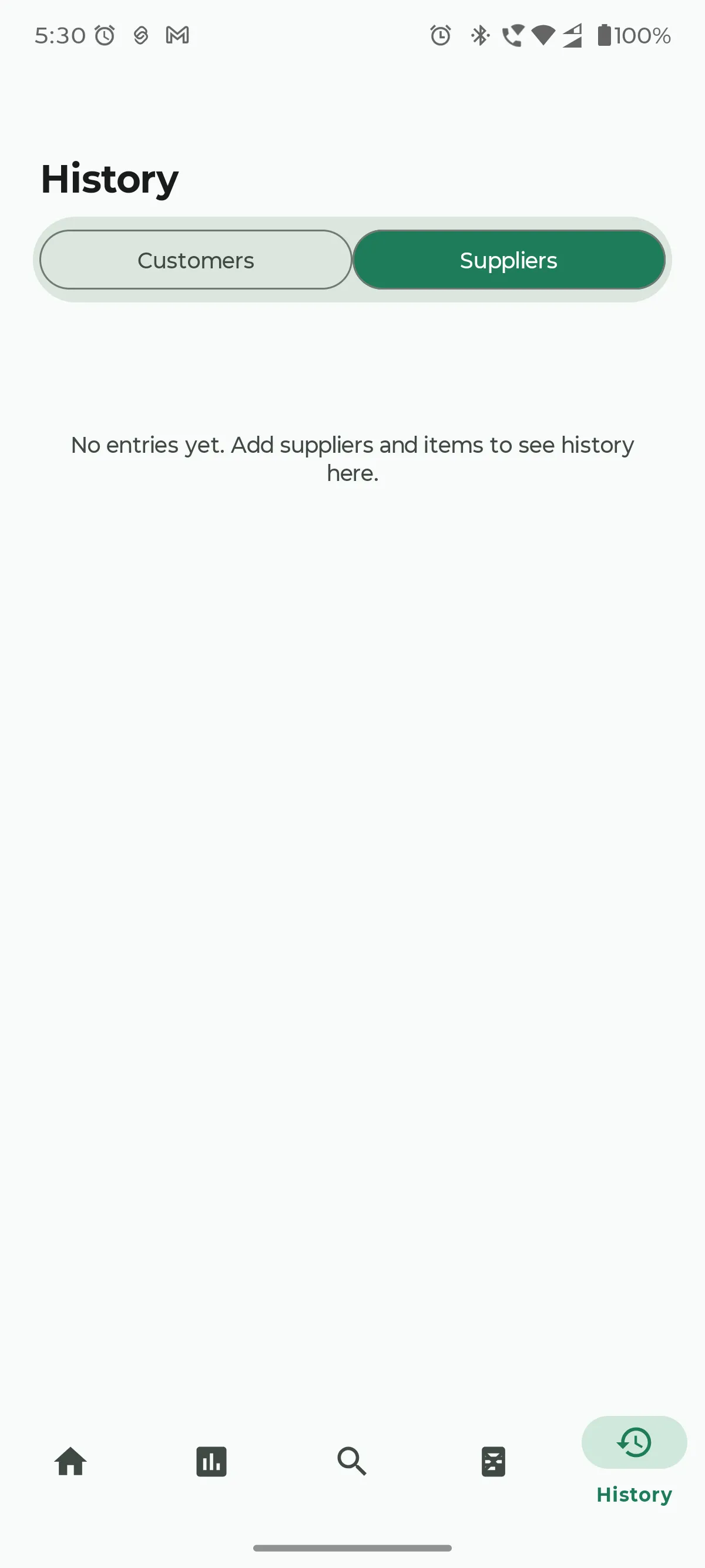
History shows every dated entry, filterable by Customers or Suppliers, giving an owner a full paper trail without any actual paper.
Underneath all of this, the app tracks entry level detail for every item: name, quantity, price, amount paid, and date, so a partial payment against a single item is recorded precisely rather than averaged across the whole account. Supplier records can carry photo attachments of physical delivery bills, captured straight from the camera or picked from the gallery. And one tap exports the entire ledger to CSV, either as a single combined file or split one file per party, ready to hand to an accountant.
Google Drive backup exists, but it is entirely optional. Tapping Continue Locally skips sign in completely, and the app is fully usable offline from the very first launch. Drive backup only asks for sign in when an owner actually wants it, from the Export screen.
From a stark black and white MVP to a real product
Transpent did not start out looking anything like the screenshots above.
The first version was built to answer one question as fast as possible: does this idea actually work for the people it is meant for? So the visual design was deliberately stark, a high contrast, almost Neobrutalist style with bold borders and flat blocks of color. No ambiguity about what was tappable, no time spent on polish that might turn out to be wasted if the core idea did not land.
Once the core idea did land, the interface stopped matching the app's actual ambition. A shop owner trusting an app with a customer's running balance needs it to look dependable, not just legible. So I rebuilt the whole interface around Material Design 3: soft rounded cards, a contextual green and blue palette that actually carries meaning instead of just decorating the screen, and a smooth pill switcher dashboard, all without giving up the zero dependency, offline first foundation underneath.
The technical decisions that actually matter
A few choices in Transpent were deliberate enough that I think they are worth explaining rather than just listing.
Programmatic UI, not XML layouts. Every screen in Transpent is built at runtime in Java. There is not a single layout XML file for any of the app's screens. MainActivity.java is the entire UI: dashboard, ledger, search, products, history, statistics, and every dialog box. For a solo developer iterating quickly on a single activity app, this collapses the edit, compile, and run loop into one file, with no XML to Java ID mismatches to chase down. The real tradeoff is losing Android Studio's layout preview, and I accepted that deliberately in exchange for iteration speed and a codebase small enough for one person to hold in their head all at once.
A local JSON file, not Room or SQLite. The entire ledger, every customer, every supplier, every product, every entry, lives in one ledger.json file inside the app's private storage, read and written directly with org.json. No database, no ORM, no schema migrations to manage across app updates. For a ledger used by a single shop owner on a single phone, the benefits a real database offers, indexed queries, joins, migration tooling, simply do not apply. The whole dataset for a small shop fits comfortably in memory and serializes to disk in milliseconds. A flat JSON file is also trivially inspectable and portable, which is the exact same property that makes CSV export a direct, one pass transformation of the same data.
Hand rolled Drive backup, not the full Drive Android SDK. Cloud backup is real in Transpent, but strictly optional. Rather than pulling in Google's official Drive client, which drags Play Services dependencies into the APK and complicates the offline first behavior I wanted everywhere else, I built the backup path using AccountManager for the OAuth token and raw HttpURLConnection multipart requests directly against the Drive v3 REST API. It is more code to write by hand, but it keeps the app's total dependency count at exactly two, AndroidX AppCompat and Material Components, and keeps the local only path from ever touching Google Play Services at all.
Continue Locally by default, not forced sign in. This one came directly out of my own testing log. Early builds could not even be opened on an emulator or a real device without first completing Google account selection, which is a ridiculous requirement for an app meant to work for someone with no signal at their counter. The fix was a Continue Locally button placed directly beneath the Google sign in option, opening the app immediately in local only mode. Drive backup now only asks for sign in when an owner actually taps it, from the Export screen. It is a small interface change with a real product consequence: nobody is ever blocked from using the app because of an account they never wanted to set up.
Building it, and where AI actually helped
I want to be specific about how AI tools fit into building Transpent, because the honest answer is more interesting than either extreme people usually assume.
Every product decision came from watching how people already keep these records by hand. The decision to keep the app fully usable without a Google account, to store data locally instead of on a server nobody at a small shop could realistically administer, and to give Customers and Suppliers visually distinct identities so an owner never confuses who owes whom, none of that came from a suggestion. It came from the actual problem.
Google Antigravity, Google's Gemini powered IDE, built the first working version of the app, the original stark MVP, and later carried out the full Material Design 3 redesign: the green and blue contextual palette, the pill switcher dashboard, the feature grid, and the supporting dialogs.
Claude Code, Anthropic's CLI coding agent, handled the release engineering pass that turned a debug only prototype into something actually distributable: setting up the release keystore and signing configuration, cleaning up .gitignore so build caches and local secrets stopped leaking into version control, diagnosing and fixing a card layout bug where text between nineteen and twenty two scalable pixels was getting clipped inside fixed height cards, adding the Continue Locally bypass, installing the signed release build on an emulator to confirm it actually launched cleanly, and pushing the finished repository to GitHub.
My own fix log from that period reads almost like a running commit journal: issue, status, action, one entry after another. That is exactly the kind of record an agentic coding tool produces while working through a punch list. It is not a log of an AI choosing what the app should be.
What the AI tooling was genuinely good at: turning a rough interface direction into working Material Components code, diagnosing a specific layout bug from a plain description and fixing it directly, handling the unglamorous parts of Android release engineering correctly on the first real attempt, and verifying its own work by actually installing the signed build rather than assuming it was correct.
What it never did: decide the app should work without a Google account, judge whether a color coded Customer and Supplier split would make sense to a shop owner, choose to store data as a local JSON file instead of a database, or decide what belongs on the roadmap next. Those calls stayed mine, because they came from the same place the whole idea did.
The real numbers
For anyone who likes their case studies backed by actual figures rather than vibes, here is what Transpent looks like under the hood right now:
- One Java source file, MainActivity.java, contains the entire application
- Eight screens total: the login screen plus seven dashboard tabs
- Nine modal dialogs handle every entry and payment flow
- Two runtime dependencies: AndroidX AppCompat and Material Components, nothing else
- Eighteen hand authored vector icons, no icon library dependency
- Minimum SDK 24, targeting Android 7.0 and above
- Target SDK 36, current with Android 16
- Eleven columns in every CSV export row
- Four core data classes: Store, Party, Entry, and Product
What is still left to build
Transpent is live and actively developed, not finished. A few things I already know belong on the list:
A real chart on the Statistics screen. Right now it shows accurate computed totals in two theme colored cards, but a proper bar or line visualization is the obvious next step. An in app viewer for attached bill photos, since they already attach through the camera or gallery but there is no way to browse them inside the app yet. A date range filter on History, beyond the current Customers and Suppliers split. Multi currency support, since the ledger currently assumes a single currency. An actual Google Play Store release, since right now it is a signed APK distributed through GitHub Releases. And a home screen widget for a quick glance at pending balance without opening the app at all.
Try it yourself
Transpent is open source and live on GitHub, along with a signed APK if you just want to install it and try it. The whole point of building it this way, one file, almost no dependencies, fully usable offline from the first tap, was to make something a small shop owner could actually trust with their books. If you run a shop, know someone who does, or just want to see how a zero dependency Android app comes together, I would genuinely like to hear from you.
Repository: github.com/vinamrapandey/Transpent Releases: github.com/vinamrapandey/Transpent/releases Contact: vinamrapandey22@gmail.com
Have something in mind?
Let's build it together.