Mimries
2026-07-09 · 12 min read
I built a wedding photo-sharing platform for my sister's wedding — 250 of 500 guests used it on day one. Then I turned it into a SaaS.
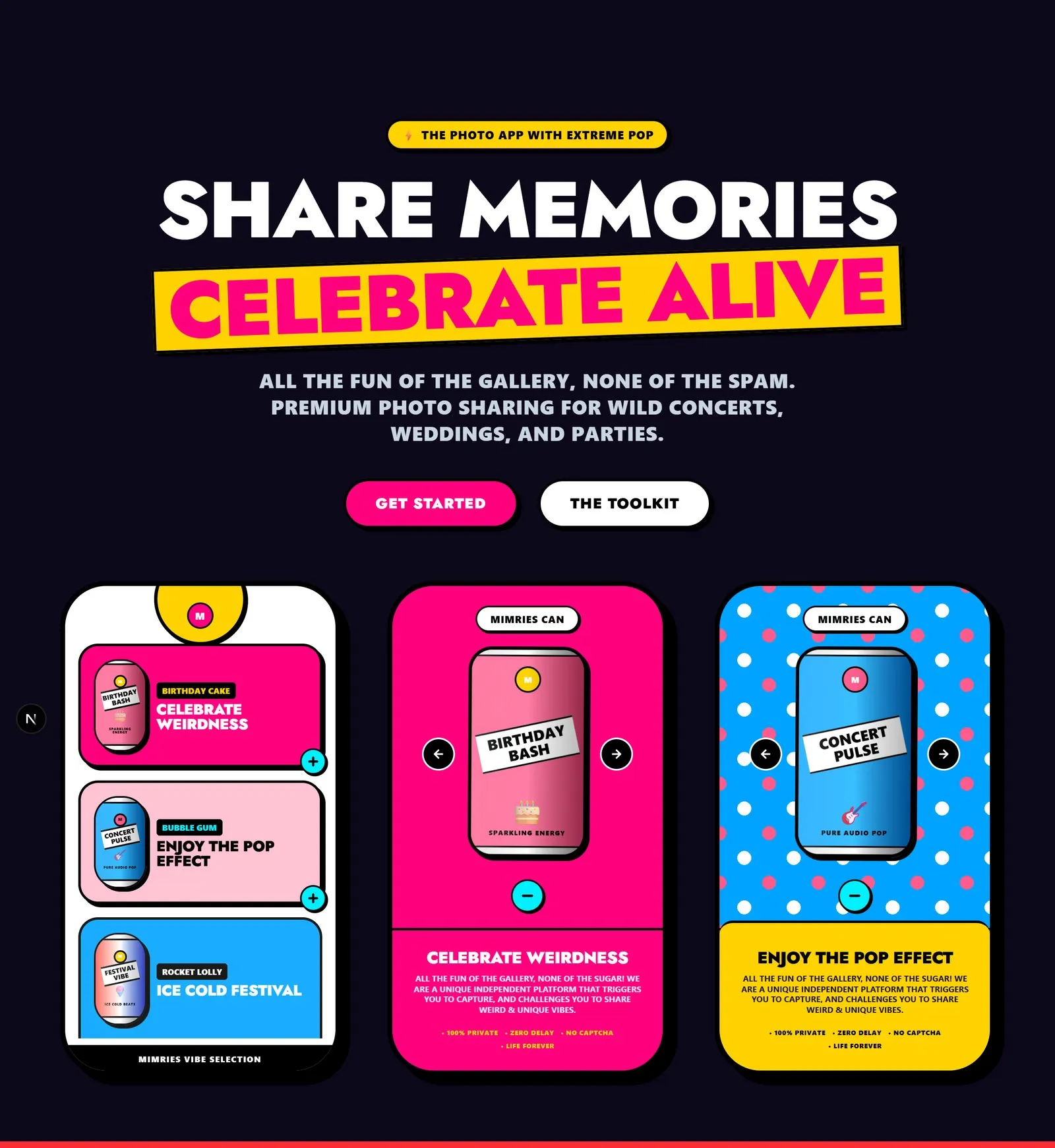
- Category
- Web
- Status
- Live
- Role
- Solo — brand, product & engineering
- Stack
- Cloudflare WorkersHono.jsD1R2SupabaseNext.js
I built a wedding platform for my sister's wedding. 250 of 500 guests used it on day one — then I turned it into a SaaS.
Timeline: February 2026 – Present
Stack: Next.js 15 · Hono · Cloudflare Workers · D1 · R2 · Supabase · Telegram Bot API
The Problem Nobody Has Solved for Indian Weddings
Indian weddings average 400–600 guests. Every one of them carries a smartphone with photos of moments the couple will never see.
The uncle who caught the exact right second of the sindoor ceremony. The childhood friend's shaky but electric video of the dance floor at 1am. The aunts' collective joy in a selfie that nobody planned. These moments exist. They were captured. And within a year, they disappear into phones that get replaced or cleared.
The existing options all share the same flaw: friction.
Google Photos shared album — requires a Google account. Elderly guests don't have one, won't create one, and shouldn't have to.
WhatsApp group — requires knowing to create it, adding the right guests, and hoping everyone finds it. Coordinating this for 500 people during a five-day celebration is a coordination problem that nobody has bandwidth to solve.
Western wedding apps — built for 80-person ceremonies in climates where guests RSVP three months in advance. They don't account for multi-day Indian celebrations, multiple simultaneous events, Hindi naming conventions, or the fact that a significant fraction of guests are genuinely uncomfortable with new software.
I was planning my sister's wedding in early 2026. She was expecting 500 guests over multiple events spanning nearly a week in Lucknow. I had no good answer to the question: how do we actually collect photos from all of them?
So I built one.
Starting on February 12
I wrote the first line of code on February 12, 2026. The initial scope was deliberately narrow: a web page where guests can upload photos to a shared album. No accounts. No app download. Just a URL, a QR code, and an upload button.
The hardest constraint I gave myself: the platform had to work for a 70-year-old at a venue where 500 people were sharing the same WiFi.
That constraint shapes every product decision. A React bundle that takes four seconds to parse on a slow Android phone fails the test. An upload flow with three separate confirmation screens fails the test. A QR code that opens a login page fails the test.
The earliest working version was a single HTML page that accepted photo uploads and stored them in R2. No multi-tenancy. No review queue. No Telegram integration. Just uploads working.
The Pivot That Changed Everything
The obvious upload path for Indian guests was WhatsApp. Every Indian family uses it. Every generation of it. Sending a photo to a WhatsApp contact requires exactly zero new skills — you've been doing it since 2014.
I attempted WhatsApp Business Cloud API integration in March 2026.
Facebook's developer program requires business verification, a phone number registered to an actual business entity, and a review process that takes weeks. The wedding was in April. There was no path.
I pivoted to Telegram over a single weekend.
Telegram's Bot API has no approval gate, no business verification requirement, and handles large video uploads natively (WhatsApp Business API's file size limits are genuinely restrictive). But the bigger discovery was this: Telegram's inline keyboard feature solved a problem I hadn't fully considered.
The multi-event problem. My sister's wedding had five events: Engagement, Haldi, Mehandi & Sangeet, Baraat, and Wedding. If a guest sends a photo to the bot, how does it know which event the photo belongs to?
The inline keyboard lets the bot ask "which event?" and receive a structured, tappable answer — no typing, one tap. The guest's selection is stored: for the next 24 hours, every photo they send goes to that same event automatically. After 24 hours of inactivity, the bot asks again at the next upload.
Scan QR code → Telegram opens → Bot sends "which event?" → Guest taps → Guest sends any number of photos → All go to the right event.
The flow works on every phone, in every network condition, for every age. If you can send a photo to a contact, you can use this.
The WhatsApp path may still be built. I'm actively working on it with a two-month target. But the Telegram path is, in practice, more capable than WhatsApp Business API would have allowed at launch.
The Wedding
The platform went live for the first event — the Engagement — in late April 2026.
250 of the 500 guests used it over the course of the wedding week, scanning QR codes placed at venue entrances and contributing photos and videos. Guest contributions ranged from polished DSLR shots borrowed from the official photographer to shaky phone videos of the dance floor, all of which is exactly right.
No crashes. No significant support requests. The upload pipeline processed everything in real time.
For a first-version product deployed to real users at a real live event — with no second chance to fix failures, no staging environment, and no rollback plan — this was the meaningful test.
It worked.
The Guest Experience (Then and Now)
The original bespoke app was designed specifically for Apoorva and Saumya's wedding. Guests would open it and move through:
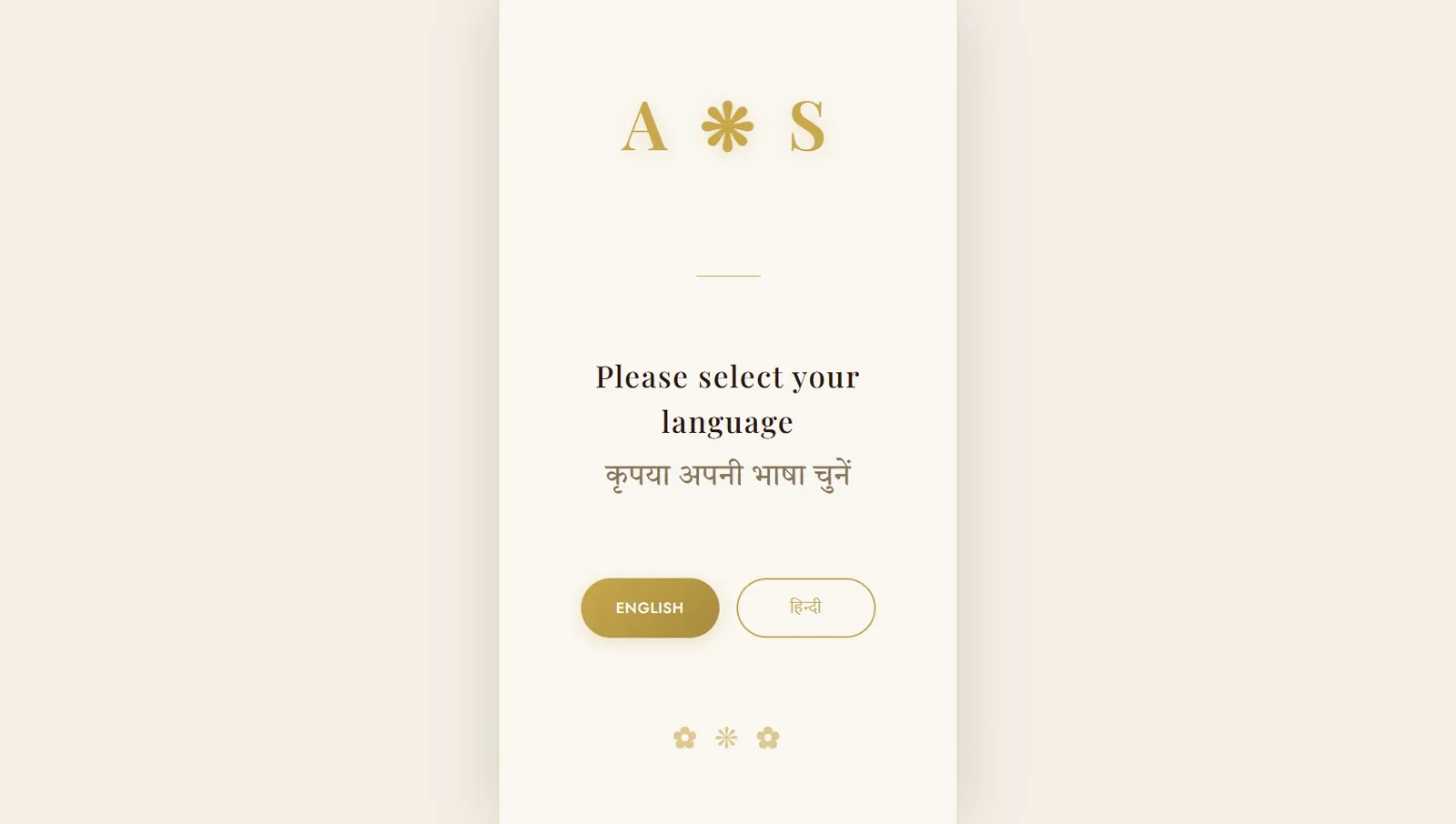
- Language selection — English or Hindi
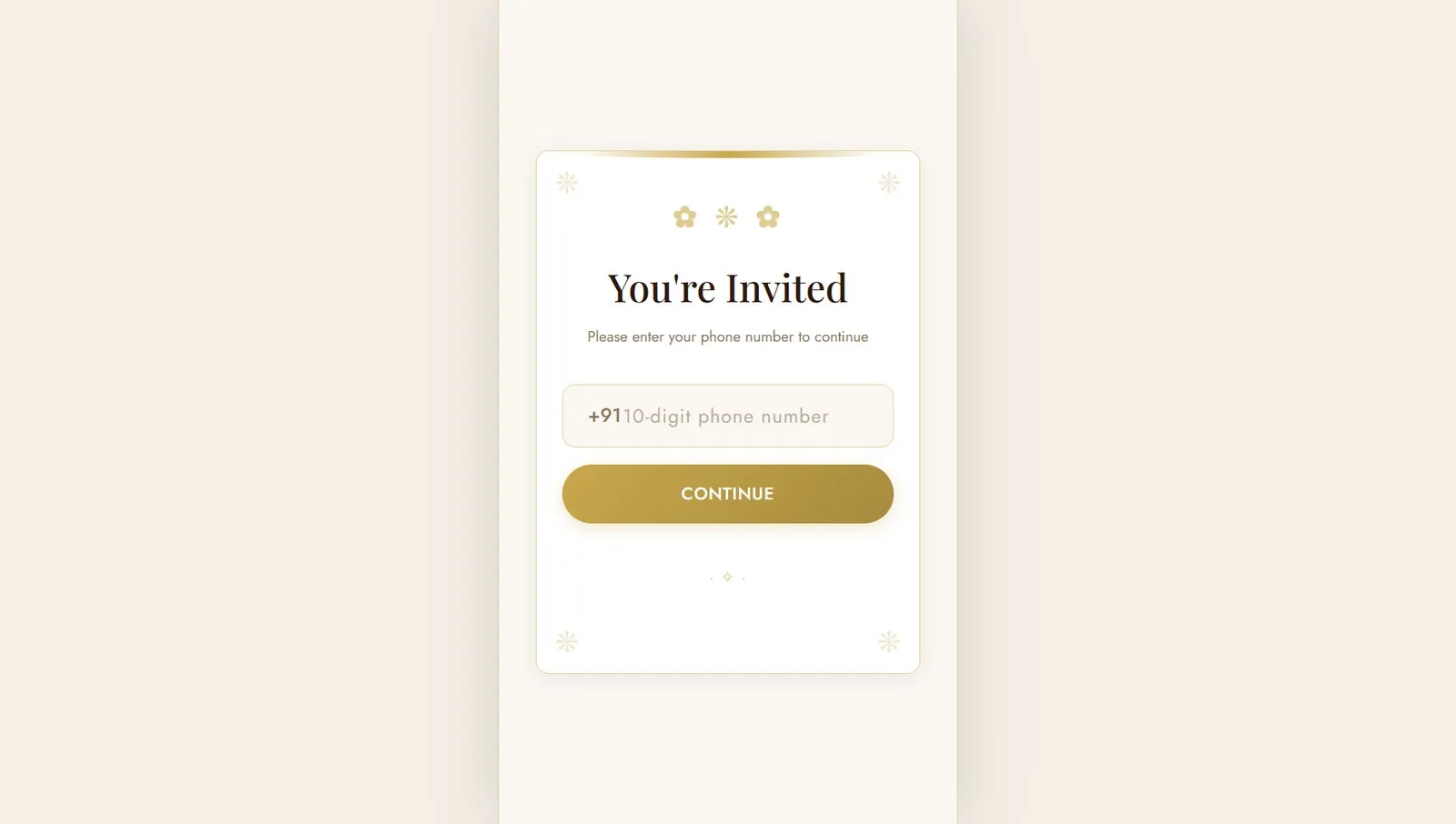
- Phone entry — 10-digit Indian mobile number, no password
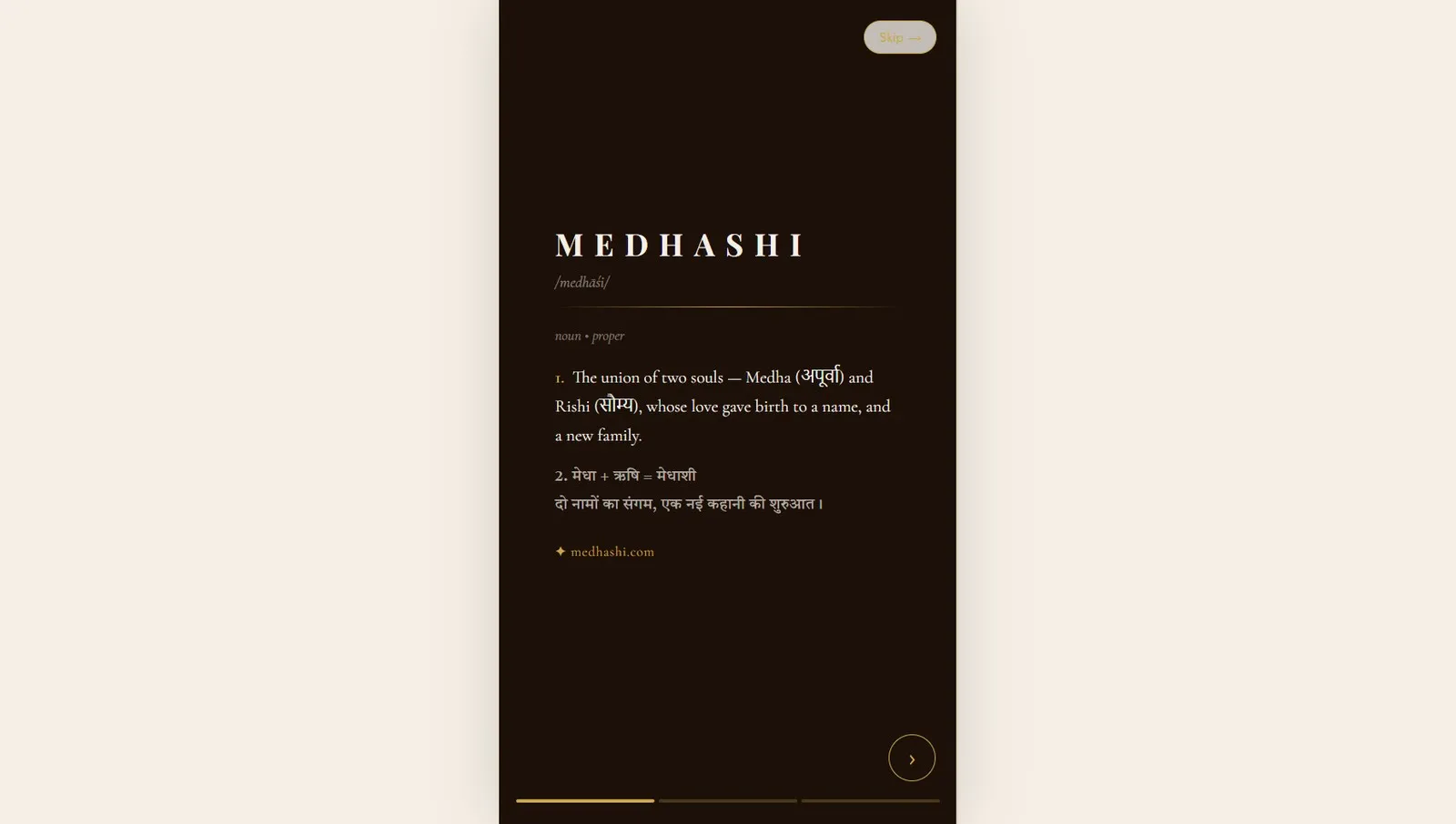
- Story slides — a narrative introduction to the couple, their families, the events
- Event listing — all five events with dates, times, and countdowns
- Event detail — invitation card, venue information, and photo gallery per event
- Upload — direct web upload or Telegram bot path
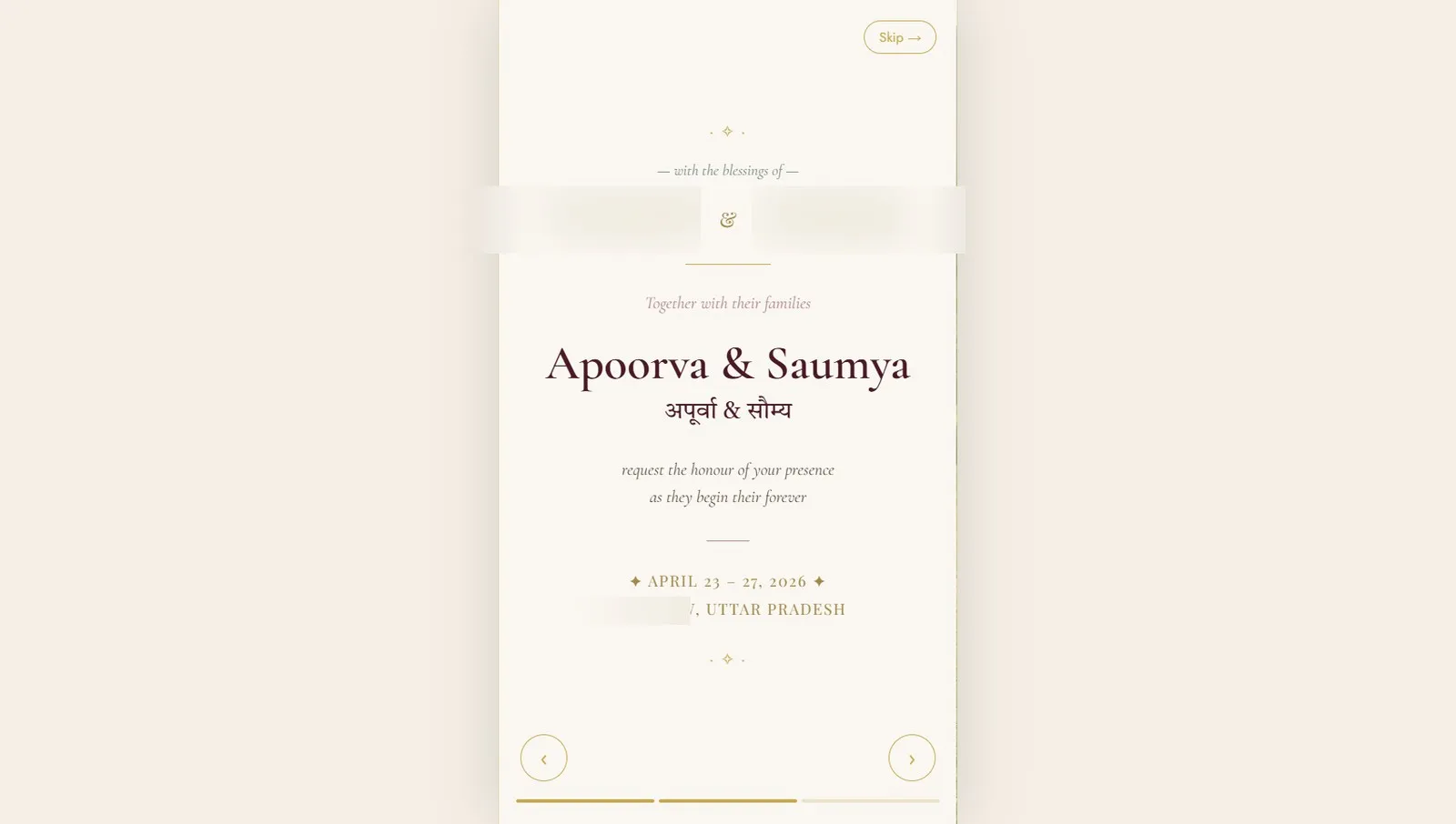
The digital invitation in the guest app was a genuine wedding invitation — couple names, parents' names, event details — displayed in the same visual language as a printed card. Guests could download it as a PDF.
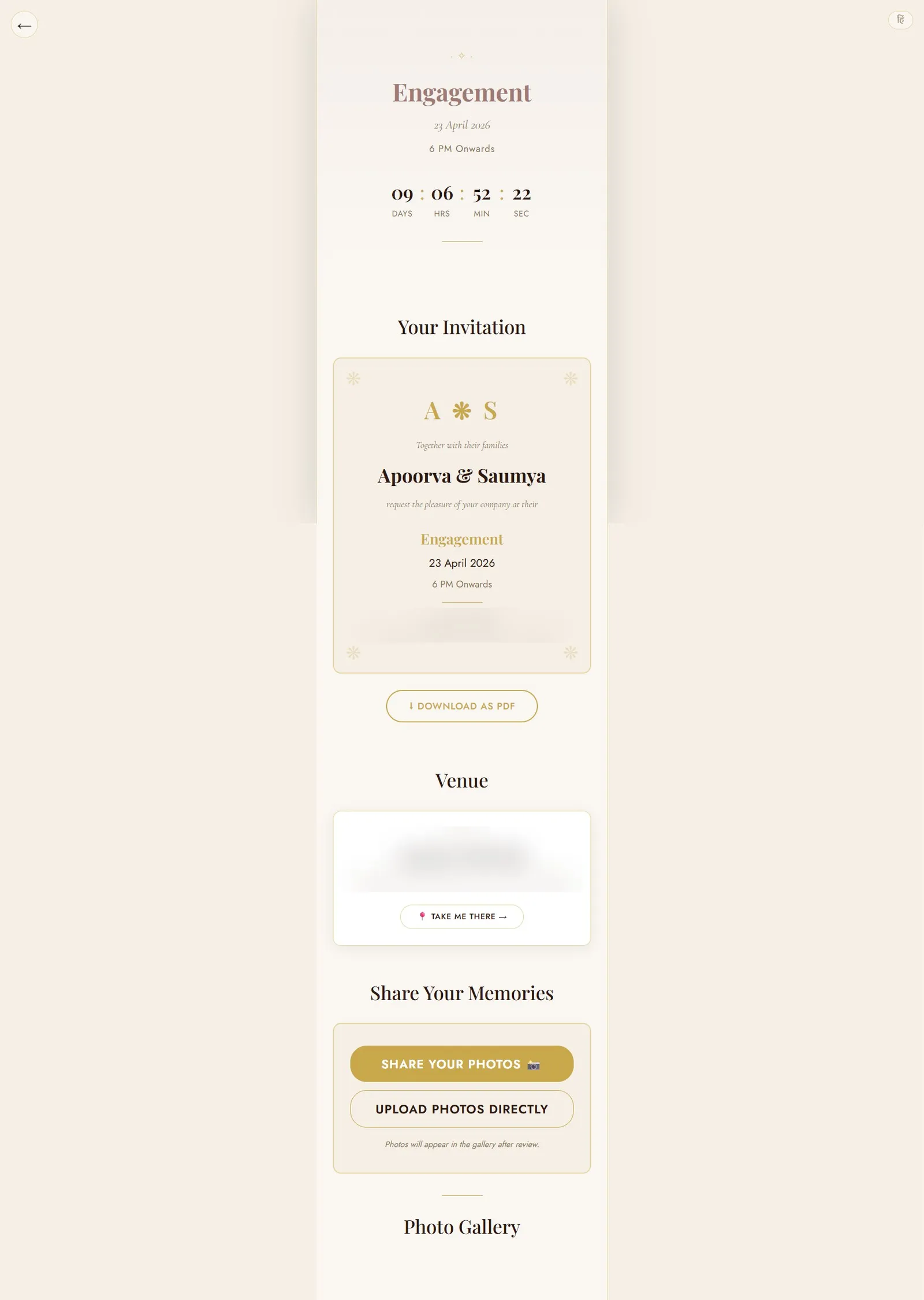
Each event page showed a live countdown to the event start time, the venue card with a "Take Me There" navigation link, and the photo gallery filtered to that event. Photos appeared in the gallery only after admin approval — the couple controlled what was public.
The SaaS Rebuild
After the wedding, I had a working prototype and a clear understanding of what guests actually did. The rebuild started in May 2026.
The goal: turn a bespoke single-wedding app into a proper multi-tenant SaaS where any Indian couple could sign up and get the same experience — without needing a developer.
The platform is now called Mimries.
What the rebuild added
Multi-workspace architecture. Each couple gets an isolated workspace with their own guest list, events, photo submissions, and gallery. One couple's data is completely separate from another's.
6-step onboarding wizard.
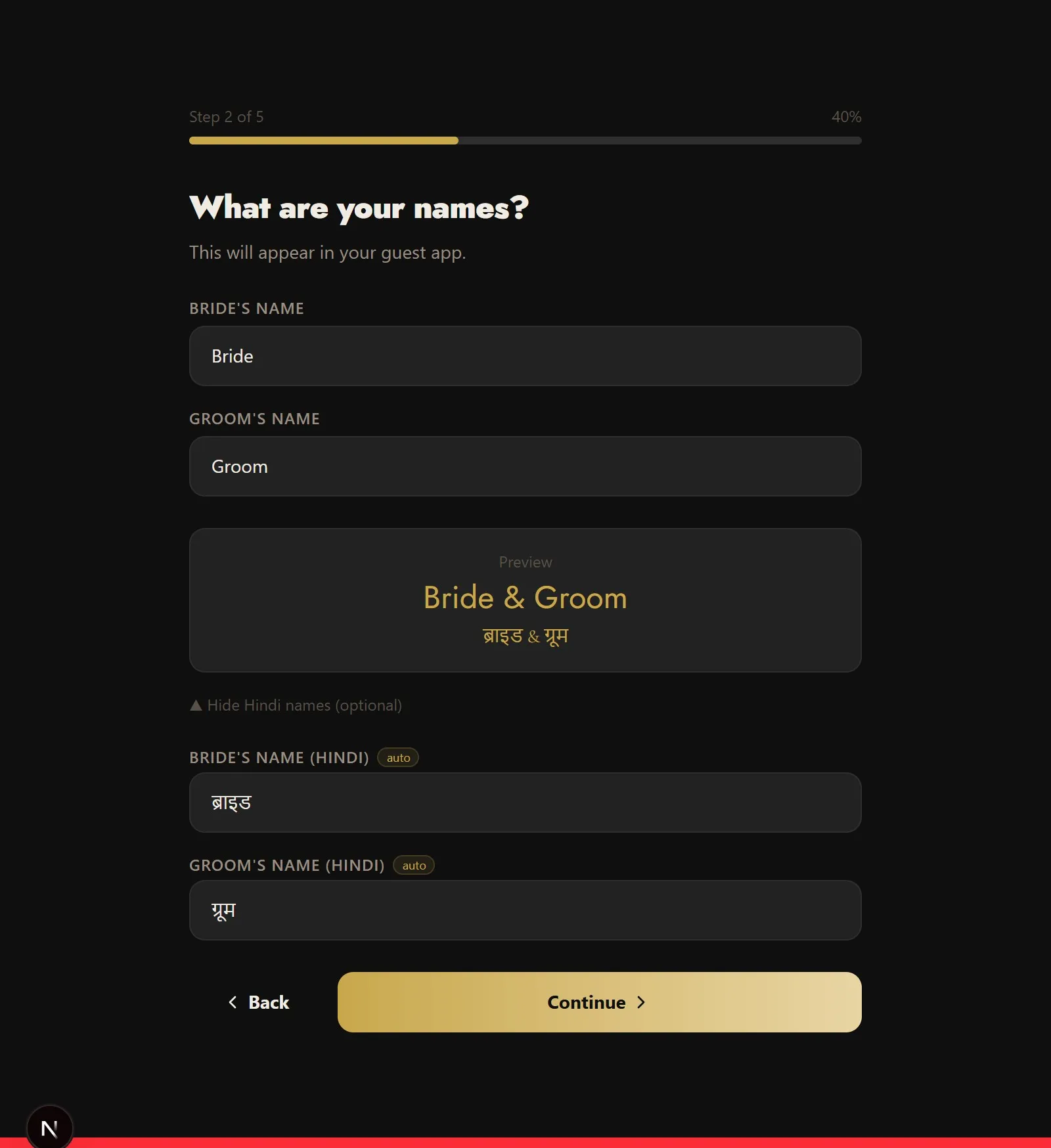
Couples walk through: naming their wedding (including the URL slug), adding events with dates and venues, adding family names, writing their wedding story, reviewing everything, and launching. At the end of step 6, the guest app is live. No developer. No design decisions.
Admin dashboard.
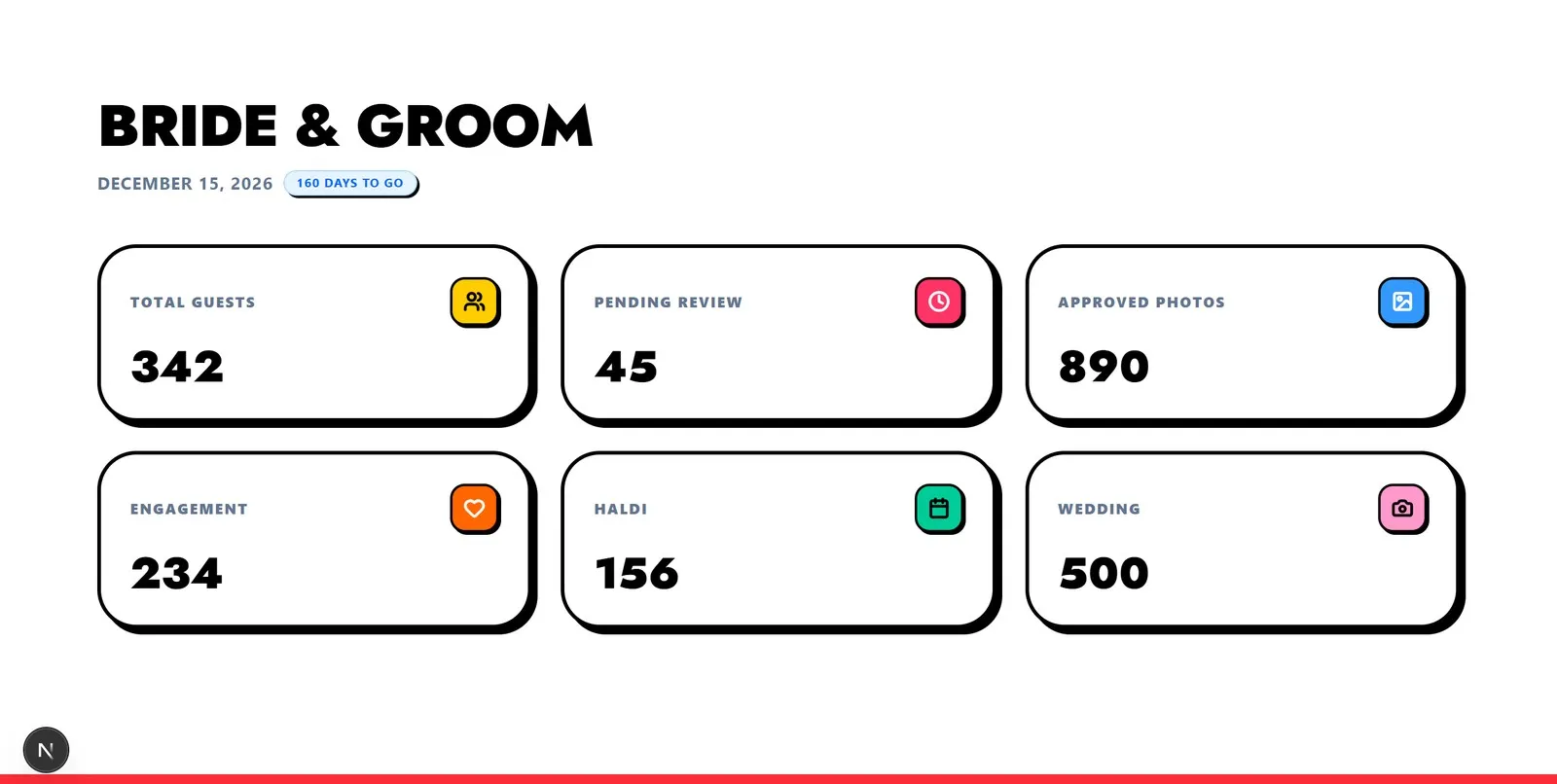
The couple sees all submitted photos sorted by submission time. One click approves a photo (it appears in the public gallery immediately) or rejects it (it moves to trash, deleted after 7 days on free tier). The review queue is the primary moderation surface.
Photo review queue.
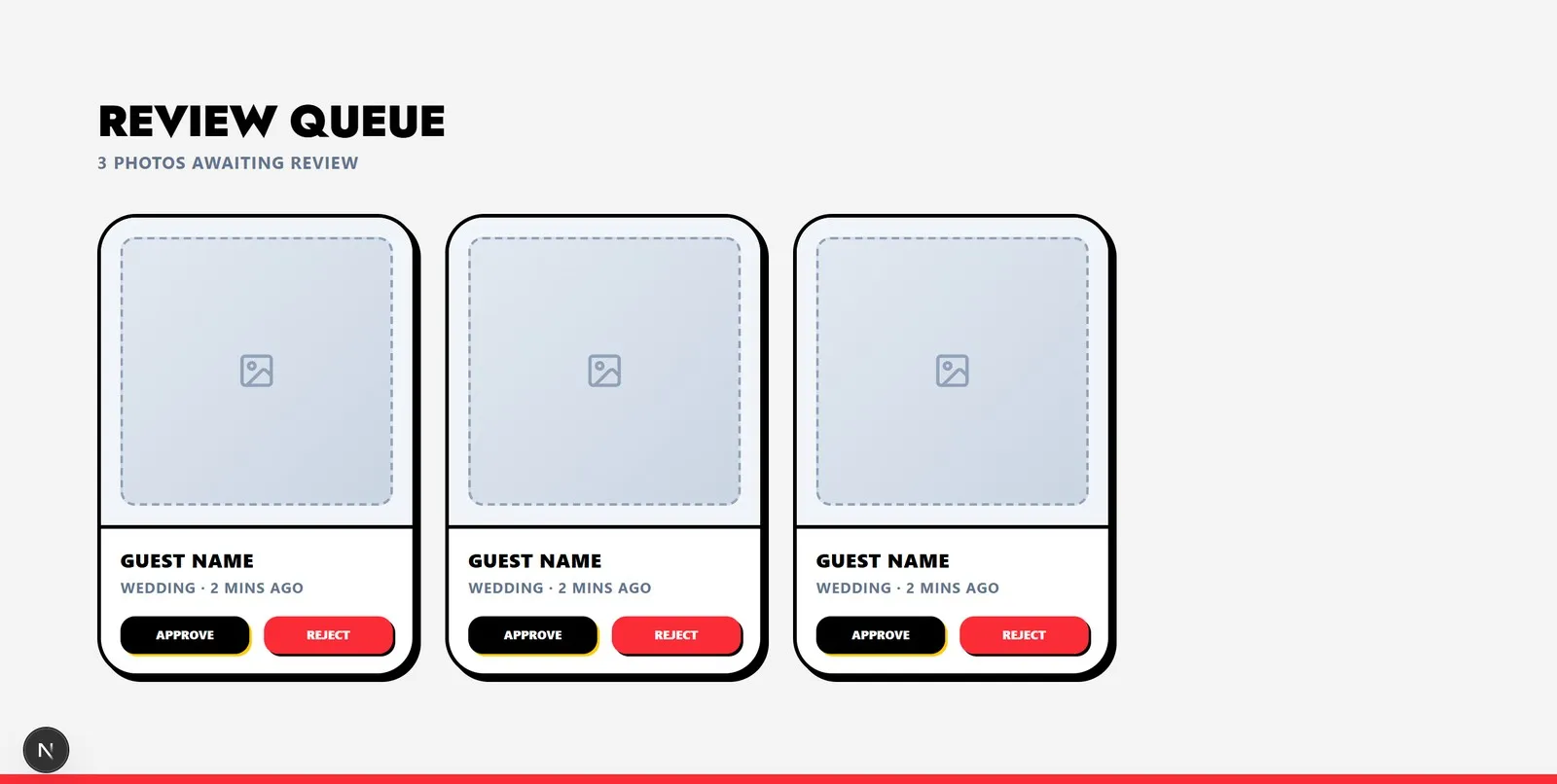
Pending submissions show the photo, the submitter's name, the event it was tagged to, and the submission time. Approve in one click. Reject in one click. The queue empties itself as you work through it.
Live mobile simulator in settings.
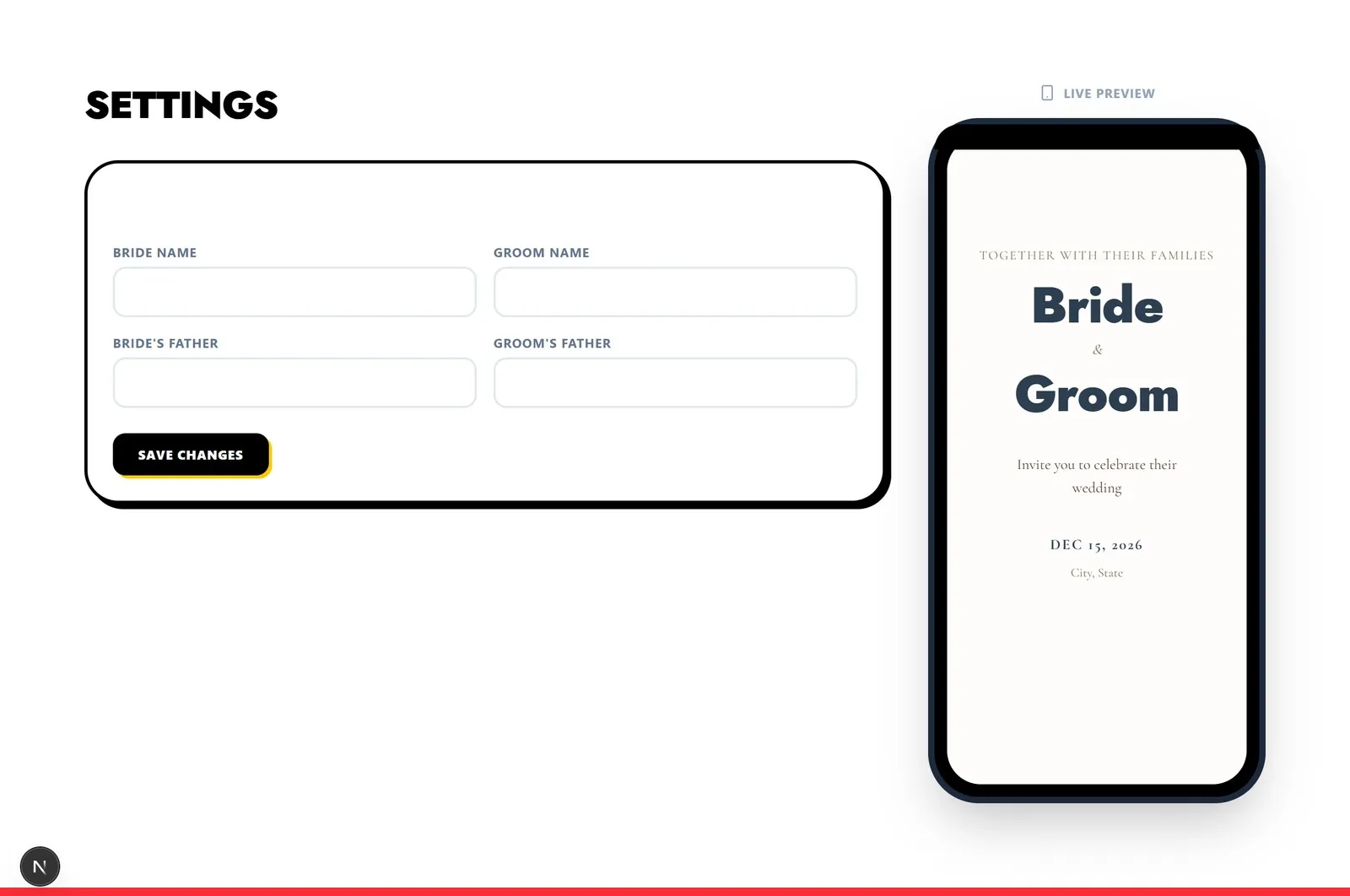
Changes to the guest app — colours, fonts, the couple's story text — are previewed in real time inside a rendered phone frame in the settings panel. The couple sees exactly what guests will see before publishing.
Hindi support throughout. Guest names can be entered in English and converted to Hindi transliteration in real time, with a refinement pass via Google Input Tools. Event names default to their Hindi equivalents. The guest app is bilingual.
The Technical Decisions
Why Cloudflare (not AWS)
Four reasons, each concrete:
Zero egress fees on R2. AWS S3 charges per GB transferred out of the bucket. A wedding gallery with 500 guests all loading the same 1 GB of photos during the reception is exactly the kind of predictable traffic spike that creates unpredictable bills. Cloudflare R2 has no egress fees to the internet. For a photo-heavy application with no control over peak load, this isn't a minor difference — it's the difference between a flat cost model and a bill spike on the most important day.
Sub-millisecond cold starts on Workers. AWS Lambda and most serverless platforms use micro-containers that spin down when idle. When a guest scans a QR code at 11pm and the function hasn't been called in 20 minutes, the cold start adds 1–3 seconds of latency before the request even starts processing. Cloudflare Workers run on V8 isolates with cold starts measured in microseconds. At a live event on congested mobile networks, that latency matters.
Edge-distributed SQLite with D1. The guest app is read-heavy: event details, invitation text, gallery listings. D1 replicates read replicas close to users. For guests in India loading an Indian wedding's data, the query doesn't need to cross an ocean.
Solo founder unit economics. Cloudflare Workers Paid is $5/month for 10 million requests per day. Forecasting AWS costs for equivalent throughput requires a spreadsheet and a prayer. Cost predictability matters as much as cost level when you're building bootstrapped.
Why Vanilla JS for the guest app, Next.js for the admin
These are genuinely different problems.
The guest app is loaded by hundreds of non-technical users on inexpensive Android phones sharing venue WiFi. A React bundle adds parsing and execution overhead that a vanilla JS application does not. The guest app boots in one network round-trip.
The admin portal is used by one person — the couple, or a wedding planner — on a computer, once or twice a week. It can afford the ergonomics of Next.js App Router, TypeScript, and component libraries.
Same application, different runtimes, for good reason.
Telegram bot architecture
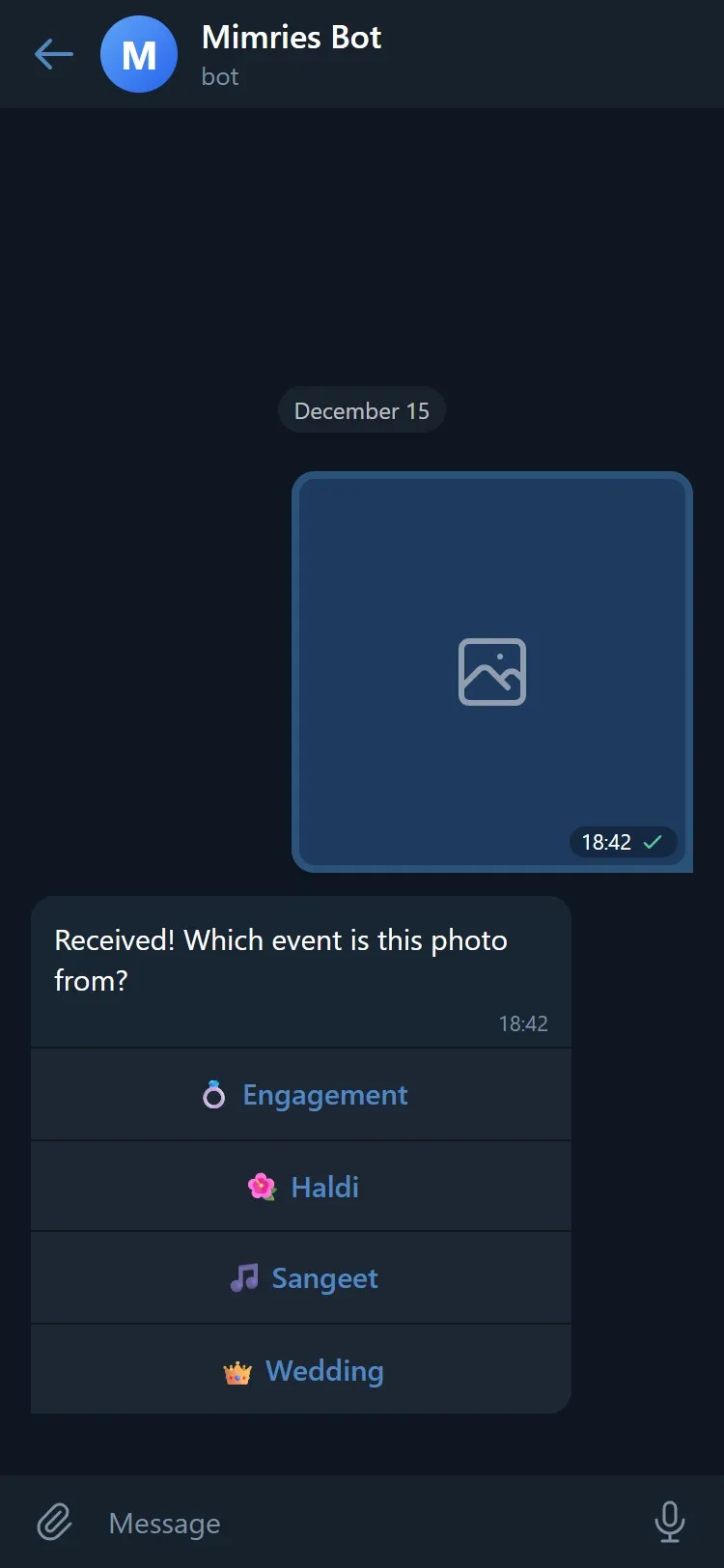
The Telegram bot runs as a Cloudflare Worker. Telegram sends webhook events to the Worker; the Worker handles them statelessly, writing session data to D1.
The full upload flow:
- Guest scans QR code at venue → Telegram opens with a pre-filled message that starts a conversation with the bot
- Bot sends inline keyboard: "Which event are you uploading for?"
- Guest taps an event
- Bot stores guest + event in D1 with a 24-hour TTL
- Guest sends any number of photos or videos
- Worker downloads each file from Telegram, uploads to R2 under
workspaces/{id}/pending/, and creates asubmissionsrecord withstatus: pending - The couple sees the submission in their review queue in the admin dashboard
- Approve → file moves to
workspaces/{id}/gallery/{event}/, status becomesapproved, photo appears in public gallery - Reject → file moves to
workspaces/{id}/trash/, deleted after 7 days (free tier) or 15 days (paid)
The AI Collaboration
This project was built with significant AI assistance — and that fact is worth being honest about, because the nature of the collaboration is specific.
Product decisions: entirely human. Every decision about what to build came from direct experience planning a real wedding. The choice to target Indian weddings specifically, the realization that elderly guests need Telegram and not a web form, the pricing tier structure, the decision to keep the guest app in vanilla JS — none of these came from AI suggestion. They came from someone who had spent months in the problem space.
Implementation: significantly AI-assisted. I used Claude (Anthropic) extensively throughout the build. In practice this meant: describing what I needed in a feature, having it generate implementation, reviewing and correcting the output, iterating on edge cases. The AI wrote a lot of code. But it wrote code I directed, checked, and own.
The honest characterization: I'm a founder who used AI as a pair programmer. The judgment calls are mine. The implementation velocity is partly AI's.
This is what solo technical founding looks like in 2026. I don't think it's worth pretending otherwise.
Current Status
| Milestone | Status |
|---|---|
| First line of code | February 12, 2026 |
| First live event | Late April 2026 |
| Guests served at first event | ~250 of 500 |
| Weddings on platform | 2 confirmed |
| Upcoming weddings committed | 4+ |
| Admin portal | Live |
| Guest app | Live |
| Telegram bot | Live |
| Payment integration | In progress |
| WhatsApp integration | In progress (2-month target) |
| Custom domain automation | In progress |
Pricing
| Tier | Price | Key Features |
|---|---|---|
| FREE | Free forever | mimries.com/[slug] guest app · 5 GB storage · "Made with Mimries" watermark |
| SHAGUN | ₹1,999 one-time | Remove watermark · Custom domain (manual attach) |
| BARAAT | ₹4,999 one-time | Auto custom domain + DNS · AI theme customiser · 100 GB storage |
| BESPOKE | Custom quote | White-glove setup · Dedicated support |
No ads on any tier. Ever.
Try It
If you're getting married in 2026 — or you know someone who is — the free tier is live.
Sign up at manage.mimries.com, enter your wedding details, and your guest app is live at mimries.com/[your-slug] by the end of the onboarding wizard.
No developer. No design decisions. No credit card for the free tier.
Vinamra Pandey (Vinny) is a solo founder building Mimries. He can be reached at vinamrapandey22@gmail.com or on GitHub at vinamrapandey.
Have something in mind?
Let's build it together.